A new chapter for Mount Maker.
A rebuilt workbench, more ways to make a mount, and editable projects that keep the details of your build together.
Mount Maker started with a focused job: help FPV pilots make action-camera mounts around their own setup. Beta 0.9 builds on that idea with a rebuilt workbench and a wider set of parts to design.
More of your build, in one workbench#
The new design selector brings together action-camera mounts, FPV camera soft mounts, rear antenna assemblies, electronics trays, and photo-assisted arm feet. Each tool starts with the measurements that matter to that part.
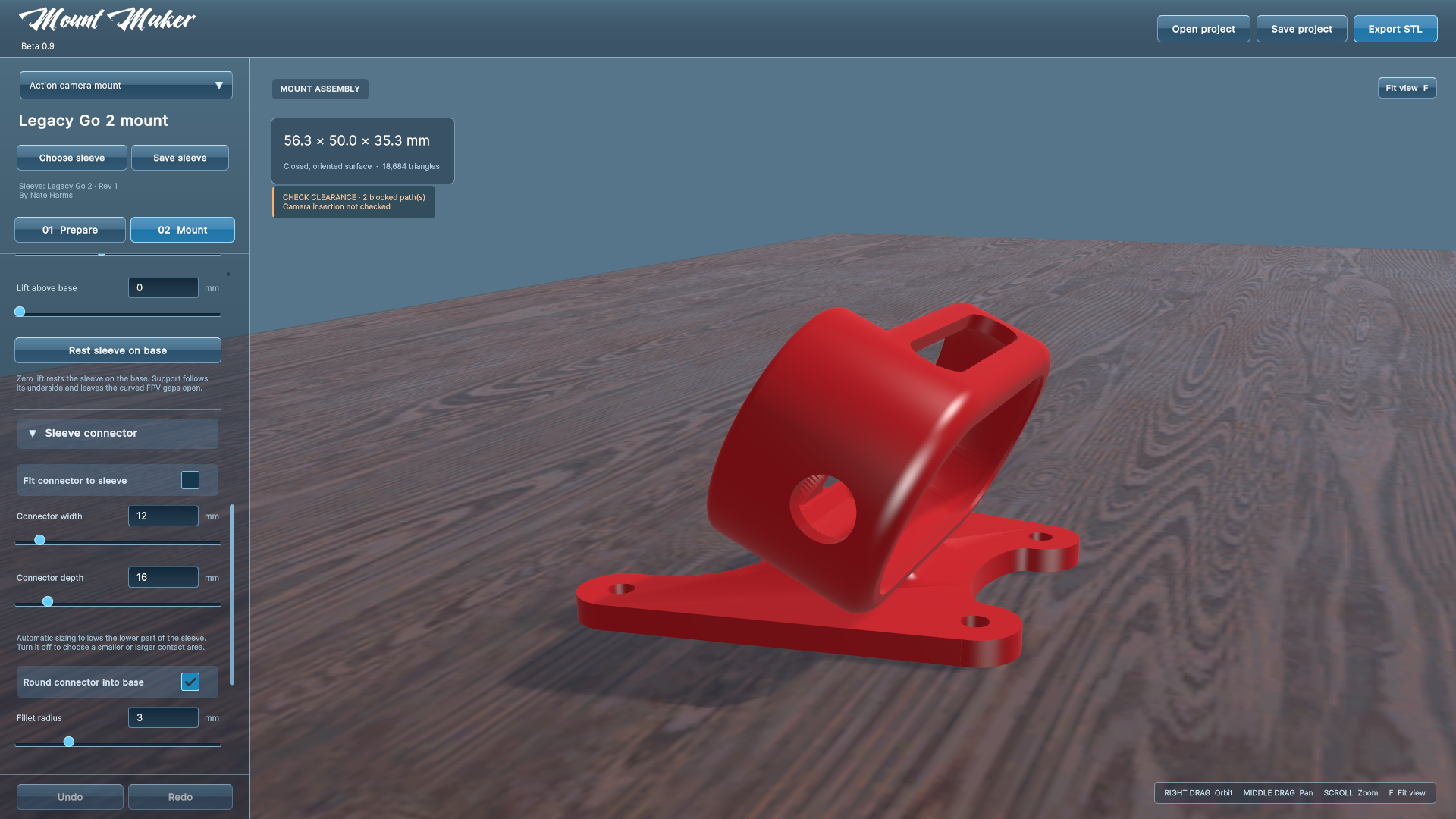
Action-camera mounts gain independent front and rear bolt widths, fitted sleeve connectors, and adjustable rounding into the base. Rear antenna designs can combine upper antenna tubes with a GPS tray and a lower T-antenna holder. Photo-assisted feet use measured scale and editable outlines to follow your carbon arm.
Keep the work behind the STL#
An exported STL is useful at the printer. An editable project is useful when the build changes.
Portable projects store the source geometry and settings together. Reusable sleeves retain their preparation, revision, and attribution; drone profiles keep frame measurements available for another design. Sharing is through local files, so the person opening a project does not need your original source path.
A clearer view of the part#
The blue glass panels and red model previews carry the Mount Maker character into the new workbench. Dimensions update live, while the camera stays where you put it. Clearance guides help inspect selected bolt paths, camera insertion, and FPV movement.
Those checks have defined limits. They do not replace inspection in the slicer or a physical fit and retention test. The handbook explains what each guide includes and what remains for you to check.
Start with the handbook#
The Beta 0.9 documentation follows the new Windows workbench, from importing a sleeve to sharing projects and making a test print. Older 0.8-era downloads and their development history remain on itch.io.
For the build currently available, system details, demo options, and purchase information, see the Mount Maker store page. Downloads and sales continue through itch.io.
Share your questions, fit results, and reproducible bug reports in the community. They help identify what needs attention in the next iteration.