
01 / 05 ARM PROTECTORS
Fit your frame in 5 minutes
Trace your arm from a photo or SVG. Build a protector around its outline, motor screws, and shaft clearance.
Explore arm protectorsFPV MOUNT DESIGN SOFTWARE
Customize your own parts,
modelling experience optional.
Beta 0.9.3 · Windows · macOS · Linux
SCROLL TO ASSEMBLE
01 / 05 ARM PROTECTORS
Trace your arm from a photo or SVG. Build a protector around its outline, motor screws, and shaft clearance.
Explore arm protectors02 / 05 FPV CAMERA TABS
Bring your flight camera into position with soft mounting tabs sized for your camera and frame standoffs.
Explore fpv camera tabs03 / 05 ELECTRONICS TRAY
Give your receiver, GPS, or beeper a fitted home. Set the pocket dimensions, retention, and cable openings.
Explore electronics tray04 / 05 ANTENNA & GPS MOUNT
Position your antennas and GPS around the rear standoffs. Make one connected assembly or separate modules.
Explore antenna & gps mount05 / 05 ACTION CAMERA MOUNT
Choose a sleeve, set your camera angle, and build a base around your frame’s bolt pattern.
Explore action camera mountEVERY PART HAS A PLACE
Design in Mount Maker. Export your STL.
Print it. Test the fit. Make it yours.
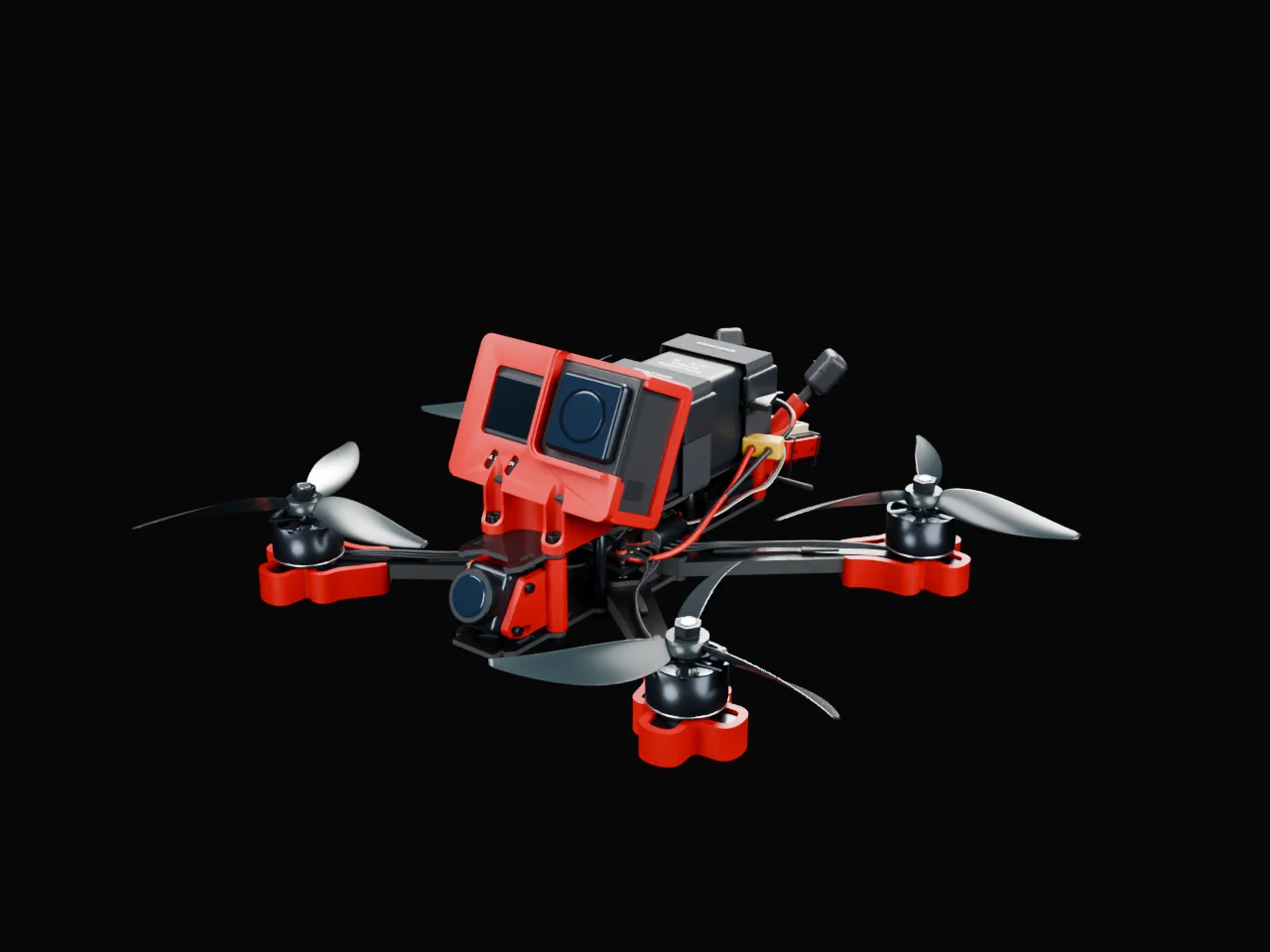
MOUNT MAKER PARTS IN RED
Simply get to printing.
Design custom FPV drone parts on Windows, macOS, or Linux.
Enter your measurements and export an STL in the full version.
ACTION CAMERA MOUNTS
Start with a prepared sleeve or import your own. Dial in the bolt pattern, camera angle, and fit while the mount takes shape in front of you.
Explore the partWHOOP CANOPIES
Set the mounting pattern, position your FPV camera, and shape a canopy around your electronics. Add antenna holders where your build needs them.
Explore the partFPV CAMERA MOUNTS
Build a pair of soft mounting tabs around your existing standoffs. Set the camera width, screw positions, and tilt style to suit your setup.
Explore the partANTENNA & GPS MOUNTS
Combine antenna tubes or SMA fittings, GPS, a T-antenna holder, and power around your rear standoffs. Build a connected assembly or save separate accessory modules.
Explore the partELECTRONICS TRAYS
Make a tray for a GPS unit, receiver, or beeper using the actual dimensions of your device. Choose mounting tabs, retaining lips, and cable openings.
Explore the partARM PROTECTORS FROM PHOTOS OR SVG
Use a calibrated underside photo or a measured SVG outline. Fit the carbon, then add motor protection and choose the bottom shape while the protector updates.
Explore the partXT CONNECTOR MOUNTS
Build a standalone XT30, XT60, or XT90 holder around one or two standoffs. Adjust the housing fit and leave room for your wires.
Explore the partApp screenshots include earlier Beta 0.9 builds.
All parts and workflowsMac and Linux Full and Demo builds, new motor protection styles, larger whoop canopies, cleaner electronics trays, and saved display preferences.
Read the updateMADE FOR YOUR NEXT BUILD
Get Mount Maker or try the demo on itch.io.
Make your first mount Questions? Meet the community